In a world where home safety is top concern, customers expect a seamless digital experience when booking smoke alarm services. Red Smoke Alarms, a leading provider in Australia, wanted their site to deliver an intuitive, efficient service booking flow—while capturing detailed customer requests for their diverse service types.
Challenge
Red Smoke Alarms needed an all-in-one booking journey that catered to homeowners, landlords, and strata managers. The main challenge was to create a robust, dynamic multi-step form that adjusted based on service type—collecting precise information, while remaining visually appealing and effortless for users of all tech backgrounds. This required tight integration between WordPress (Gravity Forms) and Salesforce CRM, ensuring all customer interactions were captured and actionable for sales and service teams.
Project Overview
- WordPress (Gravity Forms)
- Salesforce CRM
- Custom CSS
- UI/UX best practices
- Web Designer & UX/UI Strategist
- Salesforce–WordPress Integrator
- QA Tester
- Needs Discovery (Client workshops, workflow mapping)
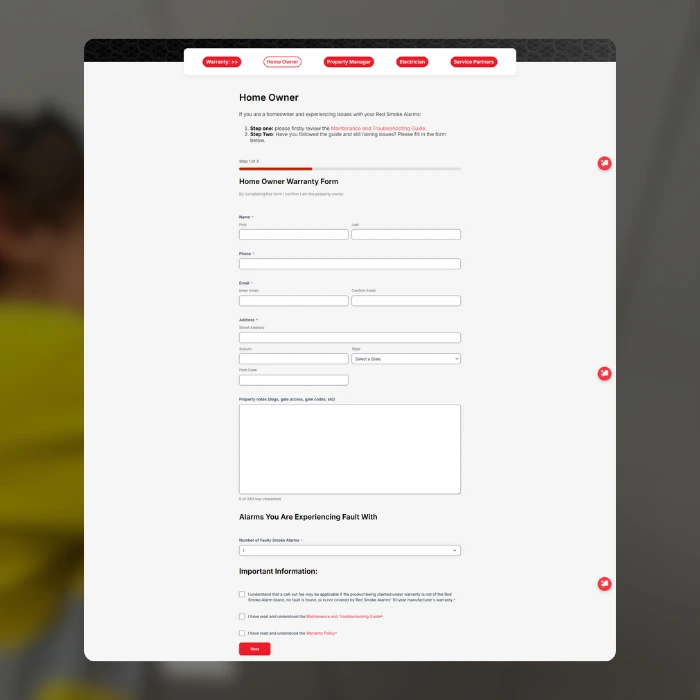
- Custom Multi-Step Gravity Form Design (Conditional logic, dynamic fields)
- Salesforce Custom Objects & Fields Creation
- Data Mapping & Integration Testing
- UI Customization for Gravity Forms
- End-to-End QA & Usability Testing
Key Solutions and Design Implementations
- Dynamic Multi-Step Booking Form
Developed a custom Gravity Form with multi-page flow, conditional fields, and custom validation, users only see and complete steps relevant to their chosen service type (Install/Service/Compliance). - CRM Integration with Custom Fields
Defined new custom objects and fields in Salesforce to capture all critical form data service type, property details, and compliance requests. Used advanced mapping and field-matching to push all Gravity Forms submissions into Salesforce in real time. - Branded, Enhanced UI for Forms
Enhanced Gravity Forms styling with custom CSS to faithfully match the site’s distinct color palette, fonts, and spacing, ensuring the forms felt fully embedded—not like a plugin add-on. - Seamless Cross-System Testing
Simulated multiple user flows across all service types. Verified data capture, form submissions instantly reflected in Salesforce with all custom attributes. Conducted QA to catch edge-case errors and UI breakpoints.
notable features
- Step-by-step booking, contextually adapting to user choices
- Intuitive progress indicators and error handling
- All form questions clearly worded for the non-technical user
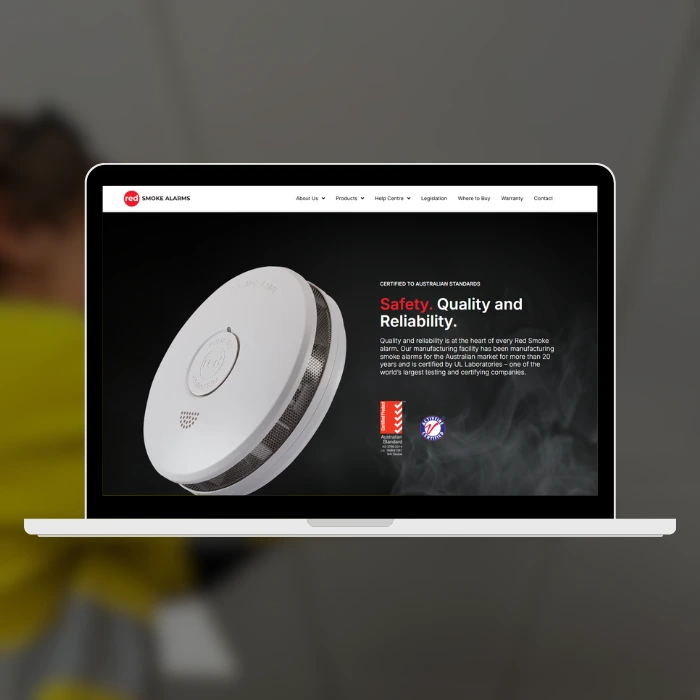
- Clean, modern form UI that matches redsmokealarms.com.au (spacing, colors, fonts)
- Invisible but reliable connection – users never notice the handoff to Salesforce, but client receives all necessary data for seamless sales/service follow-up
Research & Analysis
- I mapped the full booking-to-service workflow in collaboration with the client, understanding specific data requirements for compliance records and quoting. Reviewed common booking pain points in the Australian home safety sector—lengthy forms and generic plugin aesthetics being top complaints. My focus was on minimizing friction with intelligent logic and presenting only relevant questions at the right time.
- Key Persona: Homeowner Hannah, 38, Gold Coast
- Wants to book a compliance check quickly during work breaks
- Gets frustrated by “generic” forms and too many irrelevant steps
- Needs confidence her address and safety data is correctly handled
Salesforce Integration
- Designed lead capture forms using Gravity Forms.
- Mapped Gravity Form fields to Salesforce lead objects:
- Name → Salesforce Lead Name
- Email → Lead Email
- Selected Destination → Custom Field (Lead Source/Interest)
- Message/Inquiry → Notes field in Salesforce
- Consent Checkbox → Marketing Opt-In (boolean field)
- Tested bidirectional communication between site and CRM.
Process & Iterations
- Started with client workflow diagrams and service scopes.
- Built a prototype form structure, demoed logic to the client, and gathered feedback.
- Iterated rapidly, refining field sequences, error messages, and progress feedback.
- Applied style customizations (mobile-first) to give a seamless, branded experience.
- Thorough integration testing—ensured Salesforce data mapping accuracy for all variations.
- Final walkthrough with client and test submissions to confirm every integration step.
Retrospective
This project highlighted the importance of aligning technical integration with real user needs. The final solution gives Red Smoke Alarms a competitive edge with a professional user journey from the very first click, while empowering their sales and ops teams to act on fully contextual lead and service requests. Managing end-to-end UX, data integration, and branded UI polish as a solo consultant deepened my expertise bridging business workflows, design, and technology.