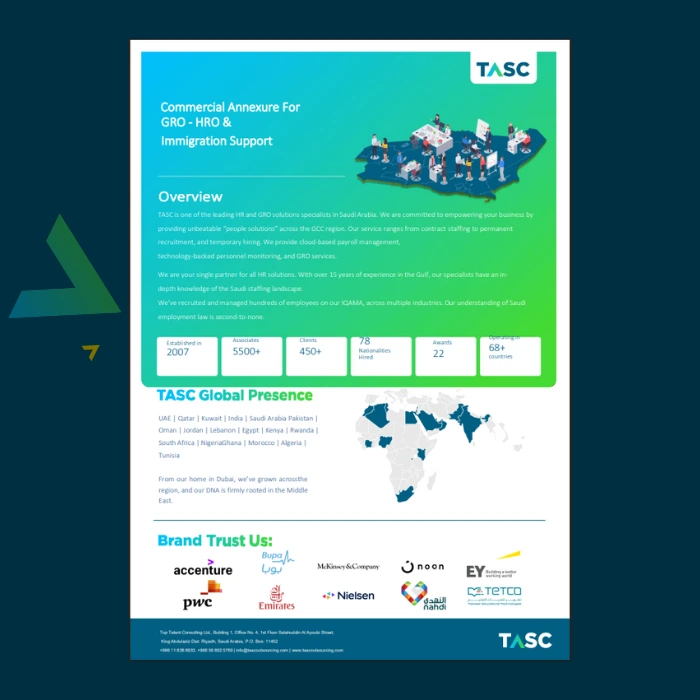
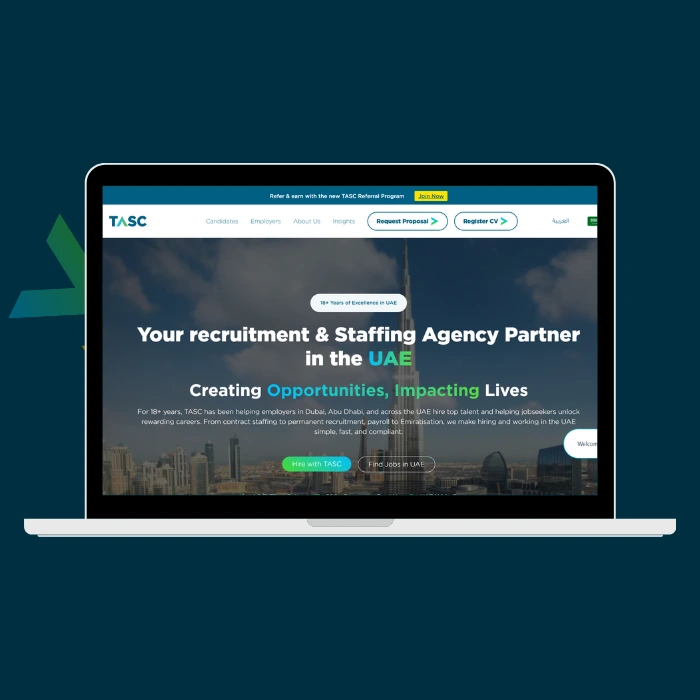
In a fast-growing staffing and outsourcing business serving 500+ clients across the GCC region, the ability to generate professional, compliant, and branded documents at scale is mission-critical. TASC Outsourcing, managing contracts, proposals, agreements, and service annexures for diverse client needs, faced a documentation challenge: creating dynamic, visually sophisticated PDFs that reflected their premium brand while maintaining data accuracy and regulatory compliance.
Project Overview
- Salesforce Visualforce
- Figma
- HTML/CSS
- Salesforce Standard Classes
- Salesforce Visualforce Developer
- UI/UX Designer for Document Templates
- Image Asset Optimization Specialist
- QA & Document Validation Lead
- 20+ Custom Visualforce PDF Page Designs
- Dynamic Field Rendering & Conditional Logic
- Table Layout Customization & Graphical Content Integration
- Running Footers with Page Counts & Dynamic Headers
- Multi-Document Types: Contracts, Proposals, Agreements, Annexures
- Cross-System Design Fidelity (Figma to Visualforce)
The Challenge
TASC’s document generation workflow was fragmented. Sales teams manually created proposals in Word or generic templates, leading to inconsistent branding, compliance gaps, and time-intensive revisions. Each document type—staffing contracts, service level agreements, project proposals, regulatory annexures—required different layouts, conditional content, and field mappings. The vision was to automate this through Salesforce Visualforce PDFs while maintaining the visual sophistication that matched TASC’s premium brand identity and the design systems created in Figma.
The core complexity: translating complex, graphically rich Figma designs into Visualforce’s constraint-filled HTML/CSS environment, where certain advanced styling properties weren’t natively supported.
Key Solutions & Technical Implementations
1. 20+ Custom Visualforce PDF Templates
- Designed and developed a comprehensive library of Visualforce pages for all critical business documents:
- Contract Templates – Staffing agreements, terms & conditions, service level agreements
- Proposal Documents – Project-based staffing proposals, RFP responses
- Annexures – Schedule attachments, fee schedules, compliance appendices
- Agreements – Master service agreements, employment terms
- Each template was built with modular Visualforce code, allowing easy reuse and rapid updates.
2. Dynamic Field Rendering with Conditional Logic
- Implemented Apex-driven logic to conditionally display sections based on document type, client tier, and contract terms:
- Client logo, terms, and pricing conditionally rendered
- Multi-currency support for regional contracts
- Automatic inclusion/exclusion of compliance clauses based on jurisdiction
- Service-type-specific terms and conditions populated from Salesforce records
3. Advanced Table Layouts & Graphical Content
- Built sophisticated table structures for:
- Service rate matrices
- Resource allocation breakdowns
- Fee schedules with conditional columns
- Compliance checklists and requirement matrices
- Integrated graphical elements including TASC’s branding assets, charts, and data visualizations directly into PDFs through optimized image rendering.
4. Running Footers with Page Counts & Dynamic Headers
- Implemented footer logic displaying:
- Current page number and total page count (e.g., “Page 2 of 5”)
- Document date and unique reference numbers
- Conditional header logos (TASC primary, sub-brand logos like AIQU or TASC Corporate Services based on document type)
- Document classification (Confidential, Standard, etc.)
The MS WOrd-to-Visualforce Translation Challenge
- One of the project’s standout hurdles was translating high-fidelity Ms Word designs into Visualforce PDFs. Figma’s design system included:
- Complex gradient overlays
- Advanced typography with custom font weights
- Sophisticated color layering and transparency effects
- Precise spacing and alignment beyond Visualforce CSS capabilities
Solution: I strategically edited and optimized image assets in Figma, exporting key design elements (headers, decorative elements, branded sections) as high-quality PNGs. These were then embedded into Visualforce as base64-encoded images or external references, ensuring visual fidelity while maintaining PDF performance and document size.
Image Asset Optimization & Design Fidelity
- Working with Figma references, I identified design properties that didn’t translate directly to Visualforce’s rendering engine and created workarounds:
- Converted gradient overlays into flattened image assets for headers and section dividers
- Redesigned complex icon systems using inline SVG or optimized PNG embeds
- Adjusted typography through font-family fallbacks and computed CSS sizing
- Created a visual consistency baseline by exporting design tokens from Figma and mapping them to Visualforce CSS variables
Visualforce Development
- Built each PDF template as a standalone Visualforce page
- Implemented Apex controllers for dynamic field population
- Integrated Salesforce custom objects (Contract, Proposal, Service Agreement) with template logic
- Embedded optimized image assets and graphical elements
This entire project showcased advanced Visualforce techniques:
<!-- Example: Conditional Header with Dynamic Logo -->
<apex:page controller="DocumentController" renderAs="pdf" pageSize="A4">
  <head>
    <style>
      .header { page-break-after: avoid; }
      .page-break { page-break-after: always; }
    </style>
  </head>
  <body>
    <div class="header">
      <apex:outputPanel rendered="{!document.brandType == 'AIQU'}">
        <img src="{!URLFOR($Resource.AIQULogo)}" width="150px" />
      </apex:outputPanel>
      <apex:outputPanel rendered="{!document.brandType == 'TASC_DEFAULT'}">
        <img src="{!URLFOR($Resource.TASCLogo)}" width="150px" />
      </apex:outputPanel>
      <p>{!document.documentType} | {!NOW()}</p>
    </div>
    <!-- Dynamic Content Based on Record Type -->
    <apex:repeat var="section" value="{!documentSections}">
      {!section.content}
    </apex:repeat>
    <!-- Running Footer -->
    <div style="position: fixed; bottom: 10mm; left: 10mm; right: 10mm;">
      <p>Page <span class="pageNum"></span> of <span class="pageCount"></span> | Confidential</p>
    </div>
  </body>
</apex:page>
Testing & Refinement
- QA across all document types: content accuracy, page breaks, image rendering, footer consistency
- Cross-browser and PDF viewer compatibility testing
- Validation of data population from Salesforce to PDF
- Client review cycles incorporating feedback
Retrospective
This project reinforced the importance of design-to-development fidelity in enterprise systems. The bridge between Figma’s capabilities and Visualforce’s constraints required creative problem-solving—particularly in image asset optimization and CSS workarounds.Moreover, managing a complex document pipeline highlighted the value of modular Visualforce architecture and clear field mapping strategies between Salesforce and templates. The iterative testing cycle was essential to catch rendering issues across PDF viewers and ensure consistent page breaks.
Most importantly, automating TASC’s document generation demonstrated how thoughtful technical implementation directly impacts business efficiency and client perception—turning a tedious, error-prone process into a competitive advantage.