
In today’s busy world, parents and guardians seek reliable and intuitive ways to monitor their babies’ well-being remotely. The Smart Nest baby monitor device offers advanced video monitoring, environmental sensing, and soothing functionalities, but its companion app needed a user-centric design overhaul for a more seamless and engaging experience.
Challenge
The core challenge was to design an app interface that could cater to parents’ needs for real-time video monitoring, mood detection, environmental controls, and soothing audio playback—all while ensuring simplicity and ease of use for users in varying tech comfort zones. The app had to incorporate multiple functionalities without overwhelming the user, and provide smooth navigation between monitoring, control features, and baby profiles.
Project Overview
- Adobe XD
- UserTesting.com
- Marvel App
- UX Researcher
- UX Strategist
- UI Designer
- Need Finding
- Gamification
- Rapid Prototyping
- User & Market Research
- Branding & Design Guide
- Usability Testing
Key Design Implementations
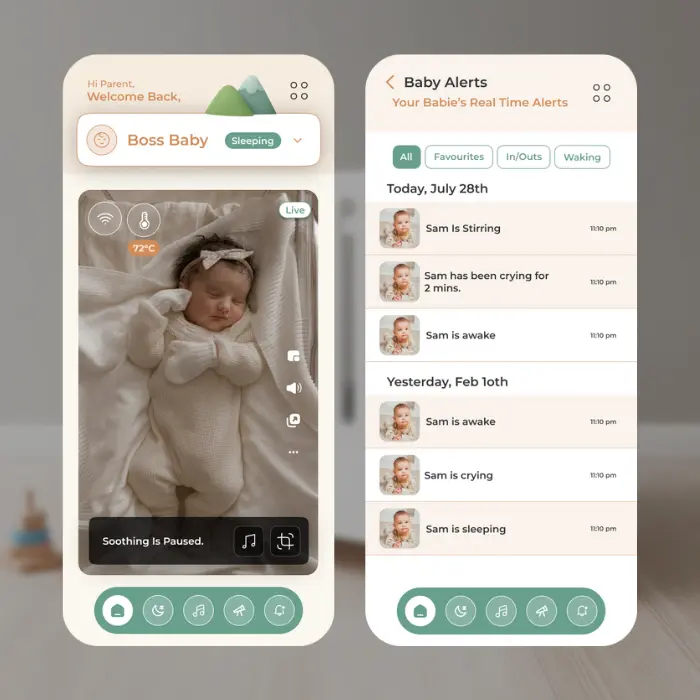
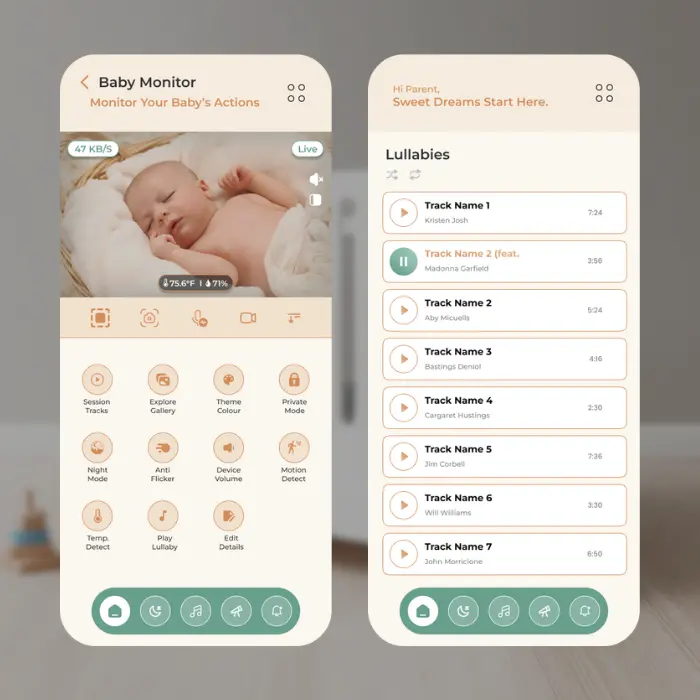
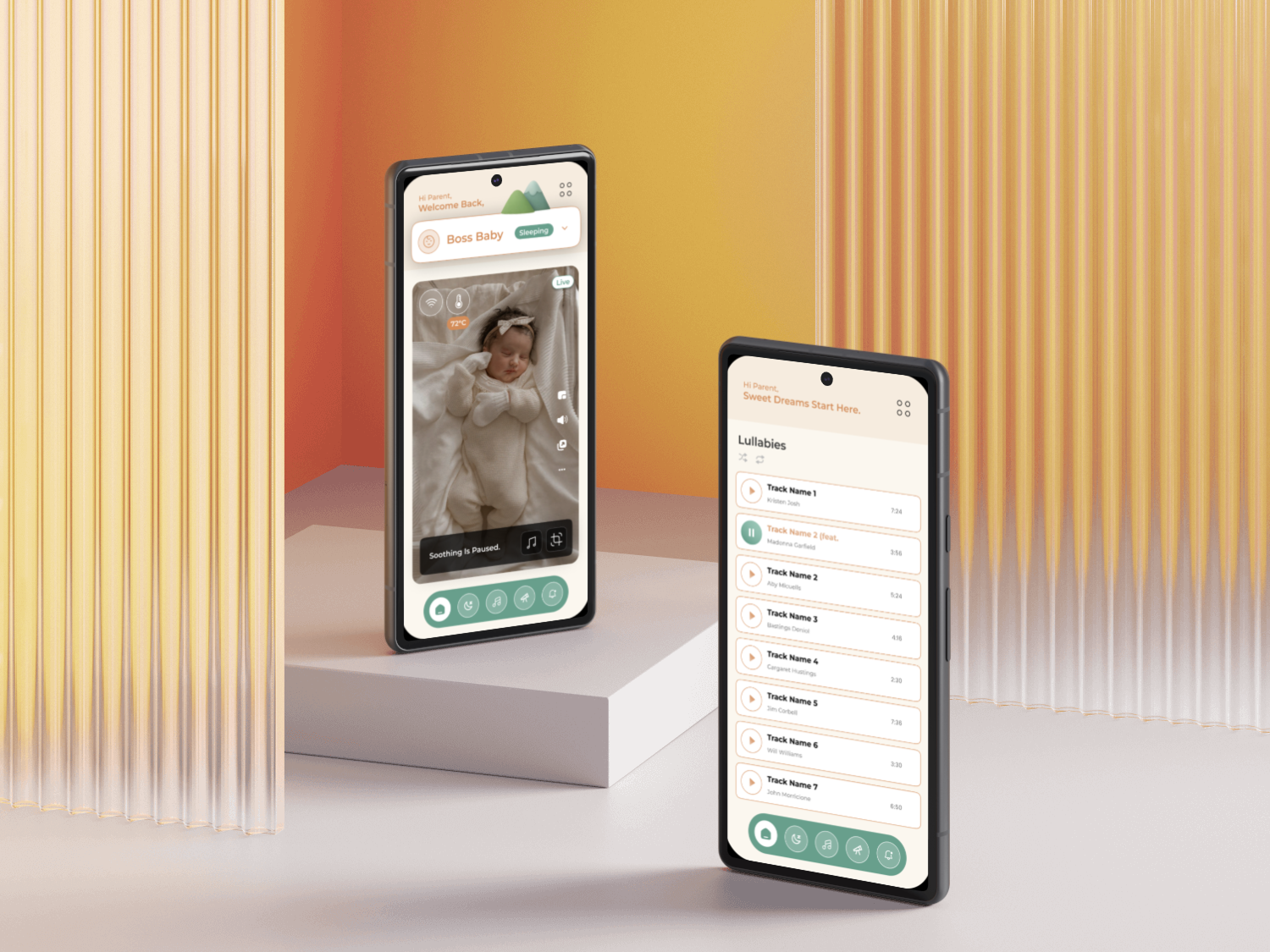
The app’s primary screen featured a live baby video feed from the crib camera with an overlay showing baby mood/status flags, crib temperature, and quick access control buttons. A lullaby screen was designed for parents to select soothing music on repeat or shuffle modes, enhancing the calming environment for the baby.
Additional screens included:
- A menu screen offering customizable options such as soothing sounds, soundtracks, gestures, crib light control, WiFi settings, crib timezone, calibration, and unpairing functionalities.
- A pull-up drawer-style profile screen allowing parents to manage multiple baby profiles or add new ones easily.
- A baby memories screen to store and view precious moments.
- A baby monitor control screen providing advanced settings similar to the menu.
One of the standout revised features was the home screen’s multi-camera select functionality, enabling parents to switch between different cameras positioned around the crib for comprehensive monitoring.
Research and Analysis
To understand the needs and experiences of parents and guardians using baby monitoring systems, I conducted interviews with three participants who shared their daily challenges and workarounds with existing baby monitor apps. The feedback revealed frustration around complex interfaces and limited functionalities for managing multiple facets of baby care from a single app.
Through this project I am helping Guardian Gauri (Persona), so let’s meet her
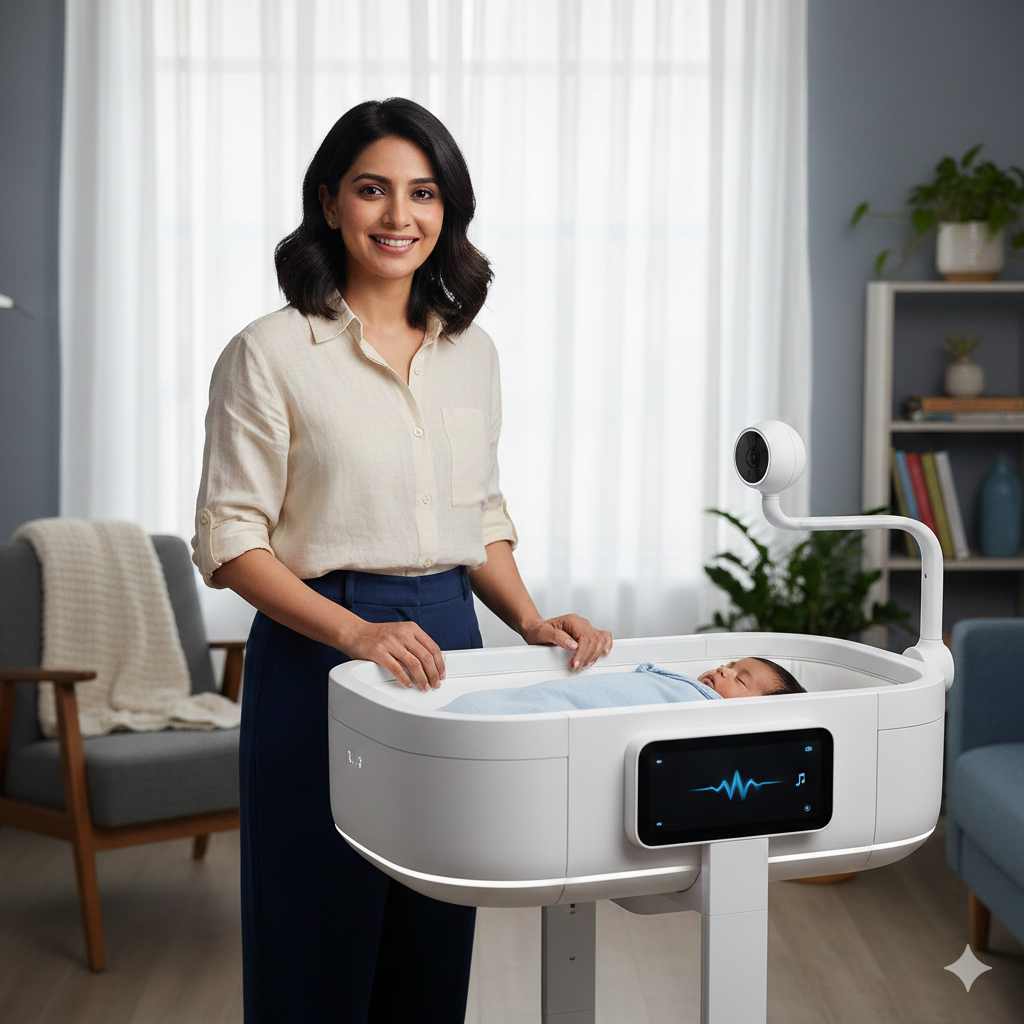
Gauardian Gauri
- Age: 32
- Location: Pune, India
- Occupation: Working Professional, Remote Work Setup
Behavior:
Gauri balances work-from-home responsibilities while caring for her infant. She relies on technology to keep track of her baby’s wellbeing throughout the day. She uses shared devices with family members and values simple, real-time monitoring that fits easily into her routine.
Frustrations:
- Finds current baby monitor apps confusing with multiple screens and unclear navigation.
- Concerned about missing subtle cues in the baby’s mood or temperature alerts.
- Wishes for easier control over soothing features like lullabies and crib lights without disrupting other functions.
Motivations and Needs:
- A unified app with clear, intuitive screens for live monitoring, environmental controls, and baby profile management.
- Real-time mood/status updates integrated with video feed to give peace of mind.
- Smooth multi-camera handling for comprehensive crib coverage.
- Easy selection and control of lullabies and other soothing options to create a calm environment.
This research was critical to shaping the app’s simple yet feature-rich design that supports parents’ needs holistically, reducing cognitive load while enhancing confidence in baby monitoring.
Ideation, Design Iterations, and Testing
Using Adobe XD and Marvel App, I rapidly prototyped various interface versions integrating gamification elements to make the experience engaging and less clinical. UserTesting.com facilitated iterative usability testing with target users, gathering feedback that informed design refinements for clarity, responsiveness, and intuitive navigation.
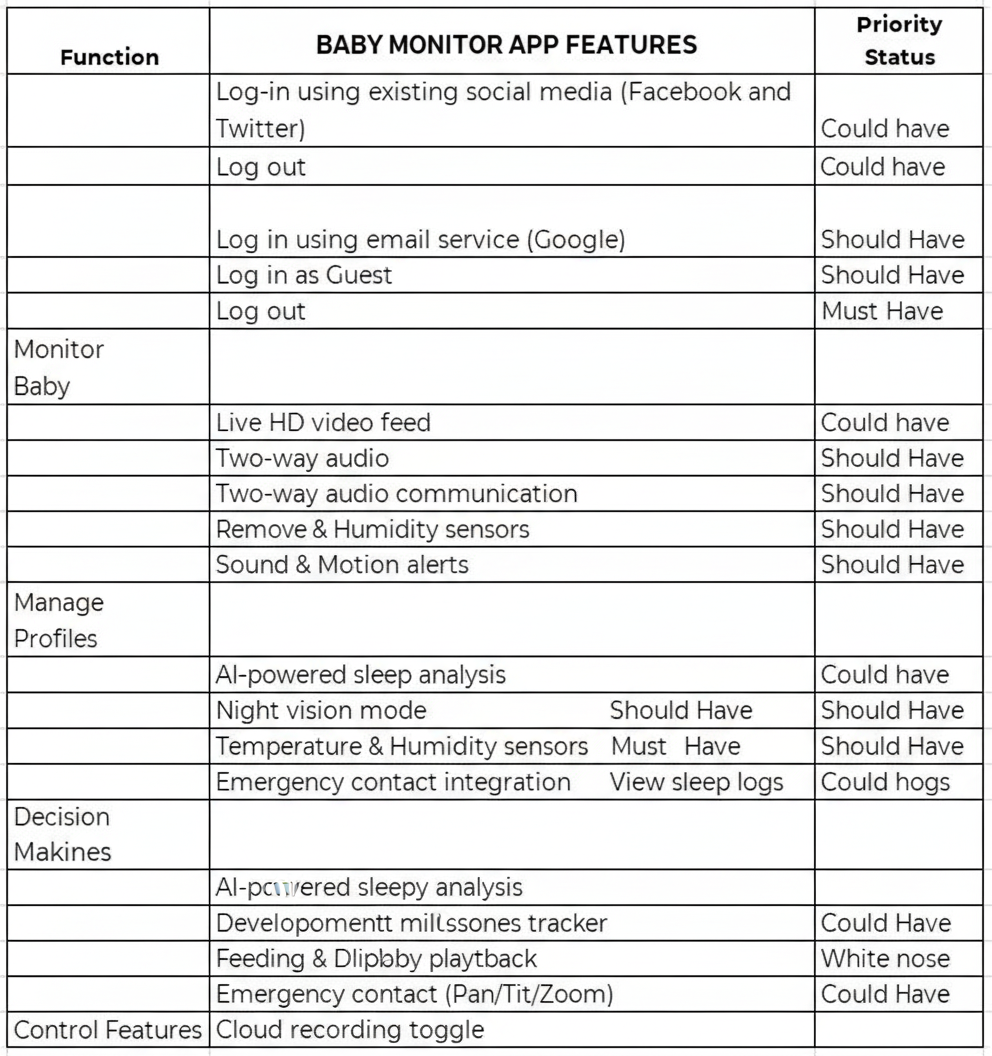
Before starting the design sessions I prepared and prioritized the feature backlog by primarily focusing on the new user’s needs so that I can test them out to launch a MVP at the end of 4 weeks sprint.
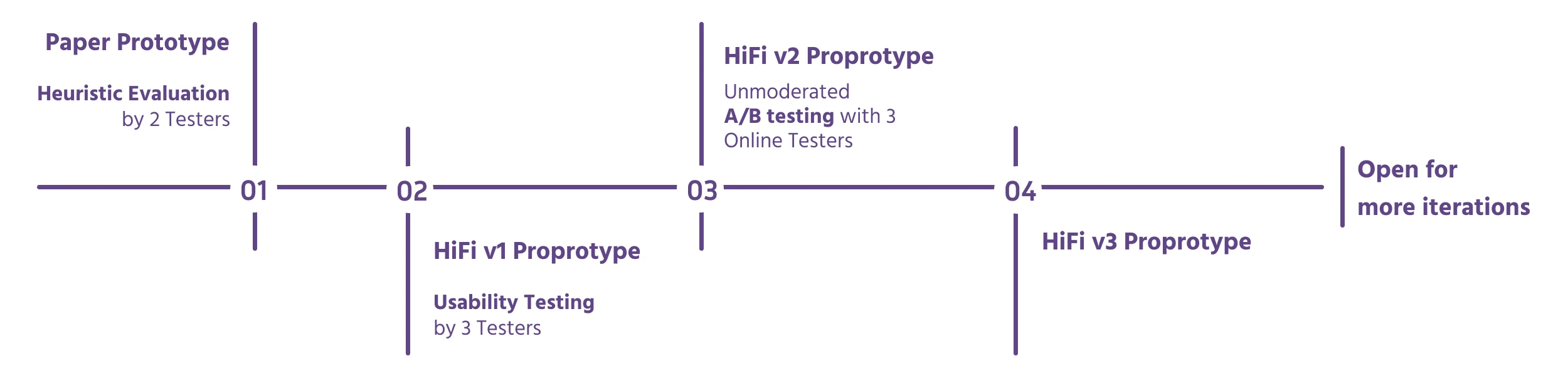
My biggest challenge during the test was to communicate to the users that the app provides ‘less but top-rated’ options so they can make decisions faster. Design evolution through 3 rounds of user testingUsers thought the ‘Help Me Find’ on paper prototype daunting also they didn’t understand how it works.
On Hi-Fi V1, I added a image banner at top and on tapping the banner the user is taken to a separate screen. On this screen I added gamification – Shuffle (Spin the wheel concept) along with ‘Filter’ feature. Figuring it out how it works, users mentioned that they would like some explanation to learn what it does before tapping on it
Adding onboarding info screens and context copy on featuresHi-Fi V2, users liked the shuffle & filter it out feature but it was difficult for them to locate the features.
After the banner failed the test, for Hi-Fi v3 I updated the flow by moving both the features to the main ‘content Selection’ screen.
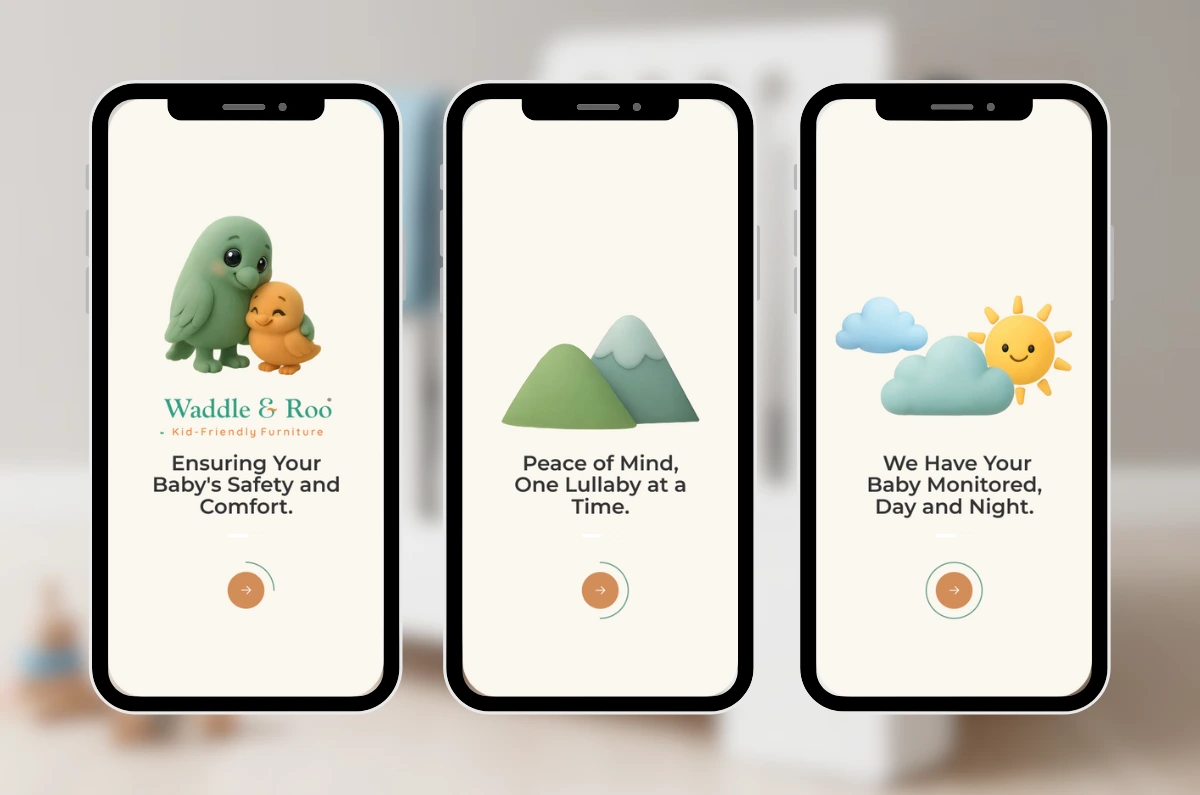
Onboarding Screens
Mood Board for High-Fidelity Design inspiration

Future Development
Future enhancements include integrating smart alerts based on baby mood analytics, expanding lullaby options with regional and cultural sounds, and incorporating AI-driven sleep pattern suggestions. These are aimed at making the app not just a monitoring tool but also a trusted parenting assistant.
Retrospective
This project reinforced how critical user empathy is in designing childcare technology. Focusing deeply on Indian parents’ daily realities and global user habits helped craft an app that balances advanced features with simplicity. Conducting end-to-end UX research and design as a solo effort also enhanced my skills in managing the entire product design cycle from user needs to prototype delivery.